Over turns your workout volume into a score and makes it easier to improve each time.

Over turns your workout volume into a Score. Raise it with more weight, more reps, or a drop set. Choose a Growth % and Over calculates your target and suggests practical weights and reps to help you reach it.

Try Growth %
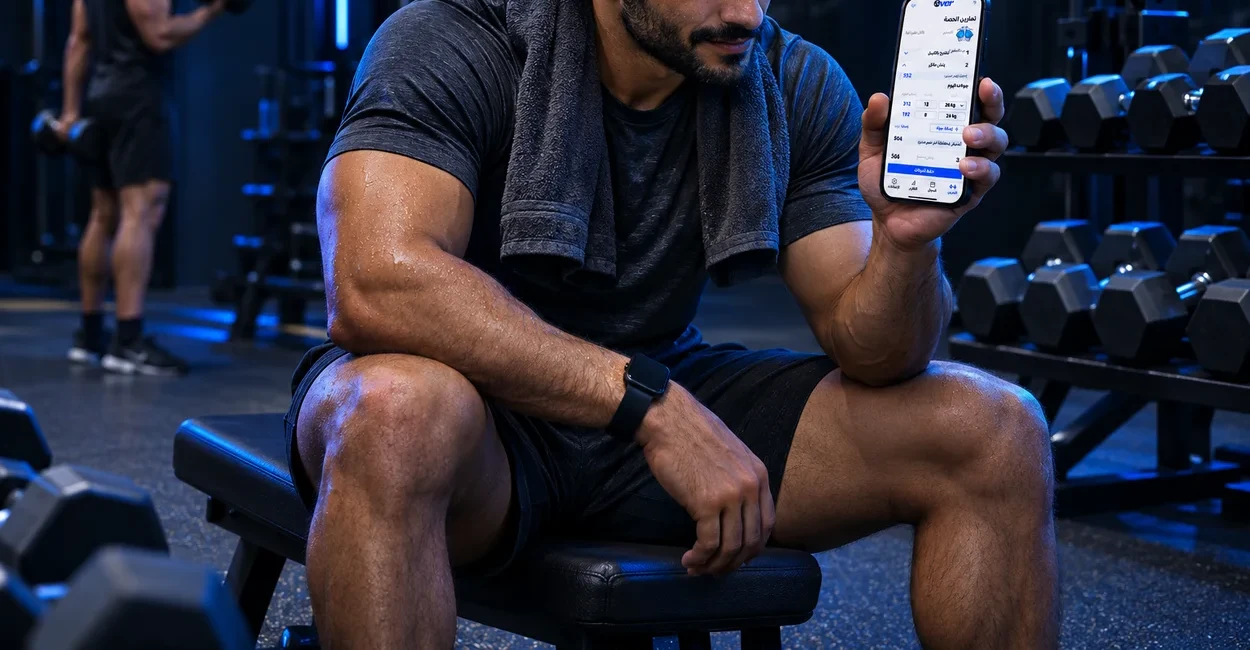
Strength athlete reviewing a workout on his phone between dumbbell setsPlan and log between sets
Training science

Progressive overload and muscle hypertrophy

Give your training a clear direction. Track comparable sets, then gradually raise the challenge as you adapt.

What is progressive overload?

It means gradually increasing the training demand you can handle. You can add reps at the same load, increase load within your rep range, or adjust sets when the extra work fits your program. Repeating a lift with a similar range of motion and setup makes the comparison meaningful.

Why does progressive overload help build muscle?

As you adapt to resistance training, you can increase the demand with more reps, more load, or a manageable increase in working sets. This gives the muscle a progressively greater training challenge over time. In a trial that directly compared progression with a fixed routine, increasing load when participants reached the top of their rep range produced more triceps growth over eight weeks in previously untrained women. Other studies show that adding reps can also work and that additional weekly sets offer diminishing returns.

Make progress comparable

Use the same exercise and equipment setup where possible. Keep technique and range of motion consistent, then review the trend across multiple sessions. Some sessions will be flat or lower. Use your recovery and performance to decide whether to raise, repeat or adjust the target.

What the research found

  • Raising the load at the top of the rep range led to greater triceps growth than keeping load and reps fixed over eight weeks in previously untrained young women.

    Kassiano et al. (2026)
  • In resistance-trained adults, progressing reps or load over eight weeks produced broadly similar muscle growth, with differences across some measures.

    Plotkin et al. (2022)
  • In an eight-week trial in trained men, doing more sets per exercise favored muscle growth at some measurement sites.

    Schoenfeld et al. (2019)
  • A meta-regression found that higher weekly set volume was associated with greater hypertrophy, with progressively smaller gains from additional sets.

    Pelland et al. (2026)

How to increase workout volume for muscle growth

Track two numbers. For one exercise, add up load × reps across sets to compare volume load between sessions. For one muscle, count working sets across the week to track its weekly training volume.

Track your starting point

Log the working sets, load and reps for each exercise. Use the same equipment setup, range of motion and technique so you can compare sessions.

Add reps, then raise the load

For a rep range of 8–12, a move from 3 × 10 at 20 kg to 3 × 11 at the same load takes volume load from 600 to 660 kg, a 10% increase. Once you can complete the top of your rep range on all sets with consistent form, try the next available weight and build the reps back up.

Adjust working sets when appropriate

If you want to change weekly volume, count the working sets for that muscle across the week. For example, moving from 8 to 9 sets is one way to increase it. Keep, add or reduce sets based on how well you perform and recover over several sessions.

Why is workout volume hard to track by hand?

Was your second set last week 12 reps or 10? Did you lift 20 kg or 22.5? To answer that for every set, you need to remember or write down every weight and rep count, find the last session, multiply and add the sets, then work out what today’s target means in actual weights and reps. Six exercises with three working sets each means eighteen set records to check before you have a comparison. Then the work starts again at your next session.

Over keeps every set you log. Open the exercise and your last session is already there. Choose your Growth % and Over does the calculations for the exercises you plan to train. Log what you actually did and get an immediate update on your score and how far you are from the target. Spend the rest between sets getting ready for the next lift.

Growth %

Automatic growth calculation for every exercise

Choose +10%, +15% or +20% before training. Over starts from the last comparable workout for each selected exercise, calculates a target for each planned set and for the exercise total, then suggests a set count, load and reps.

Take an incline press score of 635. A +10% target is 698.50. In this example, the suggested sets total 700 with the available weights and a 15-rep ceiling. As you log sets, Over shows whether you have hit the target and what remains if you have more to do. You can adjust the plan to suit how you are performing.

Incline press

Rep ceiling 15
SetLast sessionSuggested
110 kg × 1515 kg × 11
215 kg × 1520 kg × 13
320 kg × 1325 kg × 11
Previous score635
Target score698.50
Difference+63.50
Chosen growth+10%

Your workout, from split to progress report

Over guides you through the decisions you make before, during and after a workout. See what to aim for, log what you did and use the result when you train again.

My Splits and Muscles

Build a split around the muscles you want to train. Save combinations like chest and biceps, reopen them on training day and add a muscle when your plan changes.

Exercise list

Open an exercise to see its last weights, reps and score. Add a new exercise from the same list when you want to change your routine.

Workout Session · Growth %

Choose your target once before training. Over calculates a separate plan for every selected exercise with comparable history, including the set count, weight and reps for each set.

Quick set logging

Tap + to log weight and reps after a set, with optional hold time where available. If you switch equipment, view previous loads in kg or lb and refresh the suggestions for unfinished sets.

Live score and workout summary

See whether you have reached the target or how much remains after each set. When you finish, compare your actual result with the goal and previous session to decide what to build on next time.

History and progress

Review sessions by date, filter history by muscle and follow your progress over time. Use the suggested muscle groups to see what you have not trained recently, and review the exercises with the least recent improvement when deciding where to start.

A female athlete checking her workout between sets

Start your next session with Over

  1. Choose your exercises. Open a saved training split or select the muscles you want to train.
  2. Set a Growth %. Review the proposed load and reps against the last completed workout.
  3. Log each set. Adjust as needed, and switch kg or lb directly in the weight field.
  4. Review the result. Save the workout and compare what you achieved with your target and previous score.

Questions about progression

What is Over Score and how can I increase it?

Over adds up the weight × reps you log for each set, plus any recorded hold time. Every logged drop counts at its own weight and reps. For example, 20 kg × 10 reps and a drop of 15 kg × 6 reps add up to 290 points without a hold. Growth % uses your last comparable score to set a new target.

How do I calculate workout volume?

To track volume load, multiply load by reps in each set and add the set totals. To track weekly volume for a muscle, count its working sets across the week. Over Score can also include optional hold time.

How does automatic growth calculation work?

Growth % applies your chosen target to the last comparable score for each selected exercise. Over proposes sets, weights and rep targets, then shows the closest projected result and updates the remaining target as you log.

Does Over measure muscle growth?

Over measures logged training performance. Its score combines load, reps and optional hold time according to the app’s formula. Muscle growth requires its own measurements.

Do I have to add weight every session?

You can progress by adding reps at the same weight or by using a higher load within your rep range. Judge the trend over several sessions.

Will I hit the exact Growth %?

The app estimates the closest plan from available weights and rep limits. It displays the requested target, predicted result and actual logged result.

How do I begin a new exercise?

Log your first session to establish a baseline. Over can suggest a growth plan after it has a completed performance to compare against.

Bring Over to your next workout

Save your split and log your first workout. The next time you train, Over will have your numbers ready so you can focus on the quality of each rep.

Download Over

Store links will be available here once Over is ready to download.